
This site is registered on wpml.org as a development site. Switch to a production site key to remove this banner.

Today, there are so many different social media platforms, and if you’re a business or a brand, then you need to be on all of them. Twitter/X, Facebook, Tumblr, Youtube, and so many others popping up every day, it can get overwhelming trying to keep up and a mess trying to give an audience access to them all.
This is where Linktree and QR Codes can come in handy! By connecting a Linktree page to a QR code, you can provide easy access to all of your socials and other websites with a simple scan!
In this piece I will go over how to use Linktree, how to link a page to a QR code, and all the benefits of doing so. So let’s get started!
What is a QR code?
A QR code is an image that contains code within several black and white squares. These codes can be scanned by a device, like a phone, tablet, or other type of scanner, to then access a variety of media and information. This can include text documents, videos, website links, social media sites, event check in, and more!
These codes were originally made to track the shipment of auto parts overseas, but their ease of use and versatility have caused them to become extremely prevalent in modern society. Today you can find QR codes just about anywhere, to products in a grocery store, to local businesses, posters, info cards, and more.
What is Linktree?
Linktree is an online service that allows users to create essentially a link hub for all their different websites and social media pages. This way, if you have multiple pages, like on Twitter/X, Facebook, Bluesky, Youtube, or a professional portfolio, you can just give out one link that can redirect your audience to any of your pages.
How can you use QR codes with Linktree?
QR codes can be used as an easy way to allow access to your Linktree in the real world. Instead of having multiple QR codes on a business card, you only need one that will link to all of your accounts. This can be especially helpful at conventions where you will be interacting with several people in real life and wanting to share information.
While Linktree has an option to create QR codes right on the site, QR Code Developer offers much more in terms of customization, monitoring, and more.
How to make a Linktree QR code
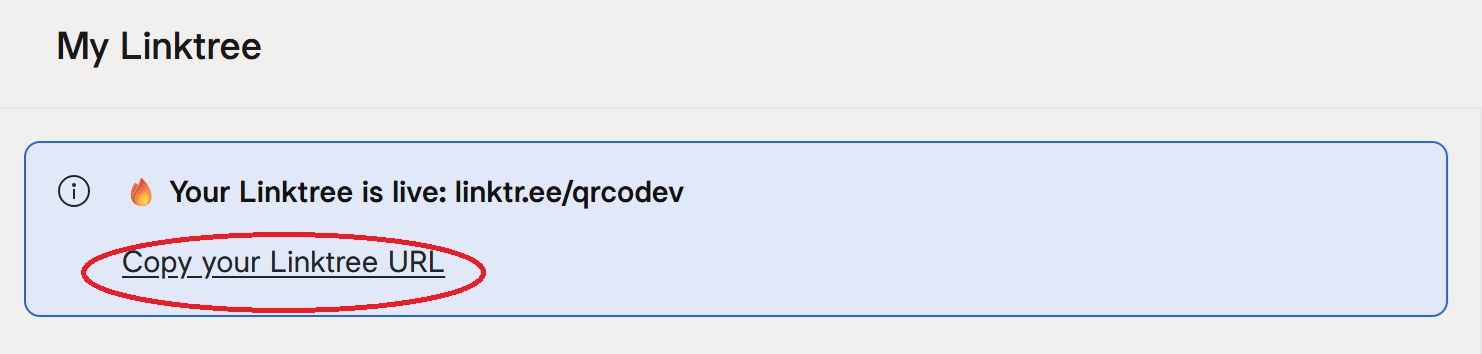
Step 1: On Linktree, copy the url for your page.
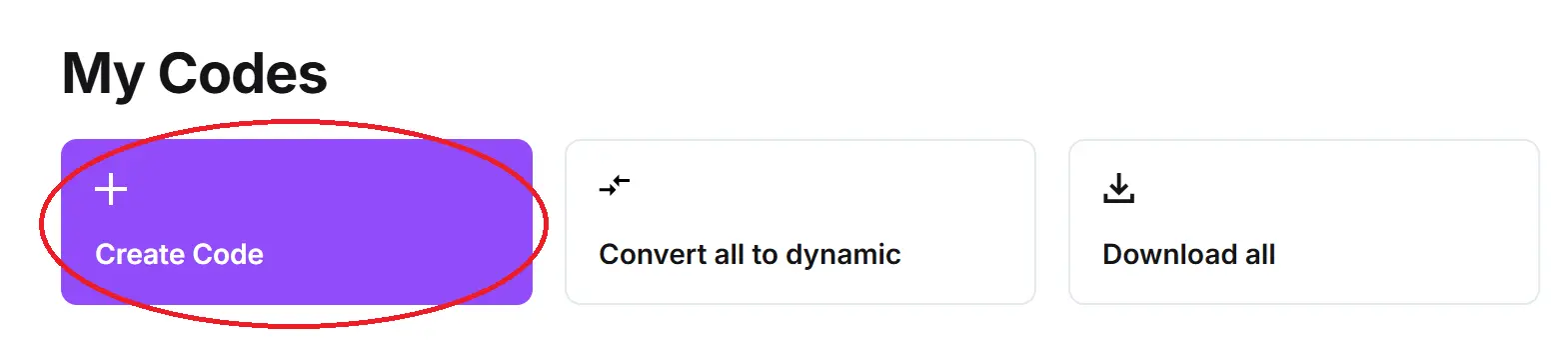
Step 2: On QR Code Developer, click Create Code.
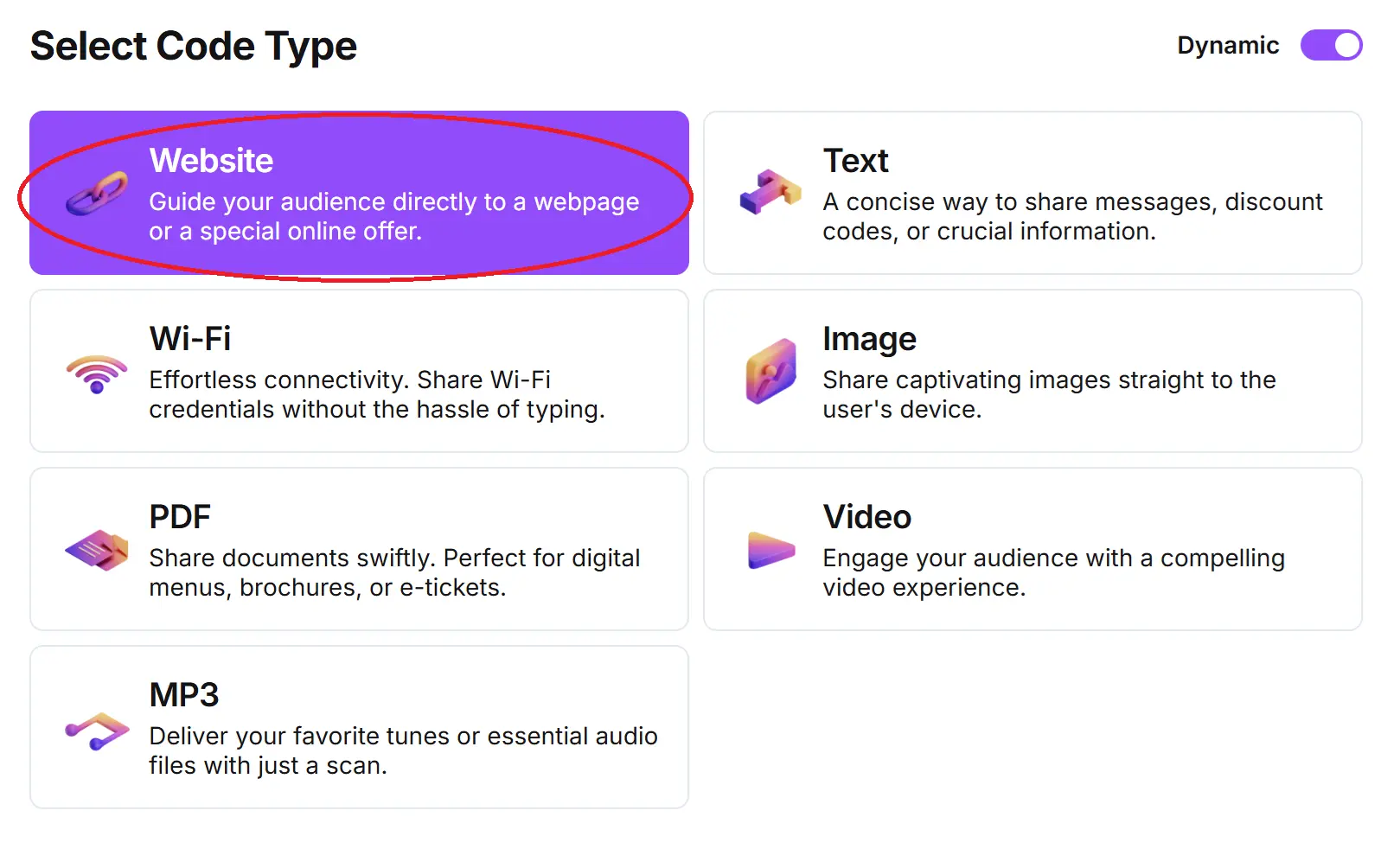
Step 3: Select the Website option.
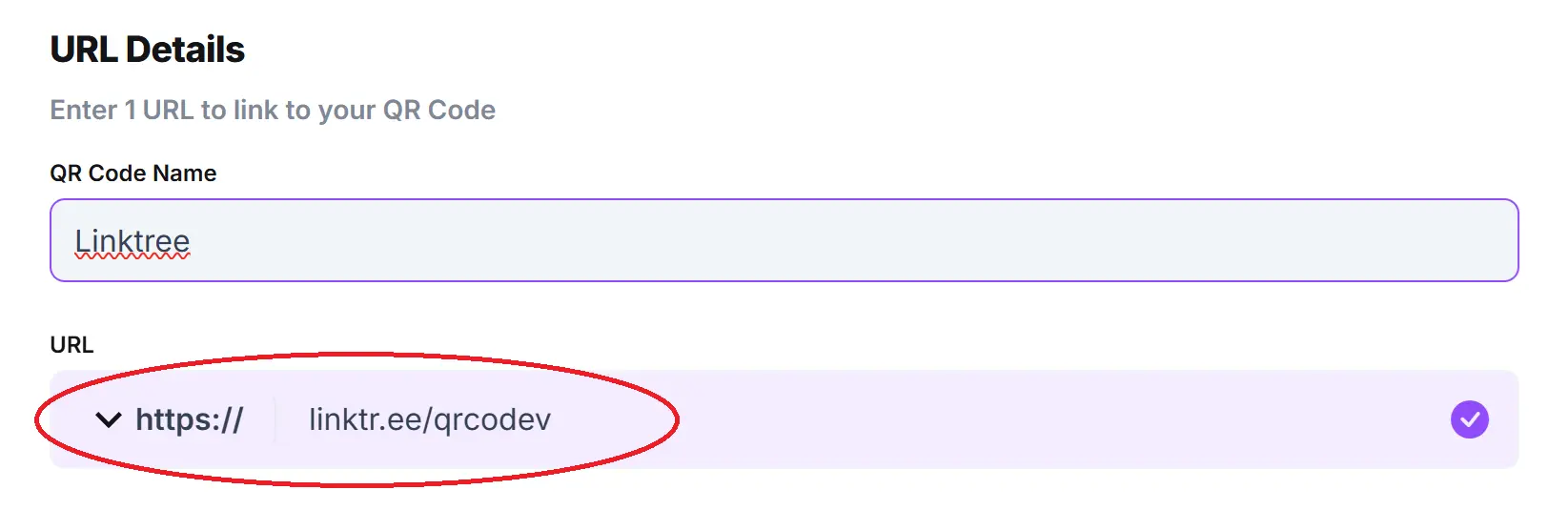
Step 4: Name your code and paste the url into the bar.
Optional: Click on the pencil icon in the Preview window to further customize the look of your code.

Step 5: Click Generate.

Step 6: Test on multiple devices.

General tips
- Know your audience: If you’re certain that most of your intended audience doesn’t know how to use QR codes or just don’t like them, then don’t use them.
- Keep instructions clear: Provide clear instructions on how to use and scan QR codes as well as where the codes will redirect to.
- Place codes on a flat surface: To make sure that codes are still scannable, only put them on flat surfaces, like walls, tables, posters, or fliers.
- Use high contrast: If using custom colors on a code, make sure that the colors are distinct enough from each other to be read as a QR code.
- Make sure codes are visible: Don’t place codes where patrons are unlikely to see them.
- Only use codes when necessary: If an alternative exists that’s easier for all parties involved, use that.
- Test on multiple devices: Make sure your codes work whether scanned on an Android device, iPhone, tablet, or other device.
Monitoring Code Usage
With the tools available on QR Code Developer, as well as other code generators, you can monitor the usage of any code you create. This can include how many times a code has been scanned, where it has been scanned, on what device, using what browser, and more. With these tools, you can figure out which codes are reaching the most people and where to focus any advertising efforts.
With QRCodeveloper you can monitor:
- Number of scans
- Number of scans by operating system
- Scans by browser
- Scans by country
- Scans by city
- Scans by language
- Unique scans
Conclusion
Linktree is a great way to let others see your work on multiple different platforms. In today’s world it is essential to promote a brand or business on all the popular services, and Linktree makes it easier to do that all in one place, no need to send multiple links.
By distributing your Linktree with a QR code, you can add an additional factor of convenience to the process. Get started with creating and editing your own QR codes today for free with QR Code Developer!