
This site is registered on wpml.org as a development site. Switch to a production site key to remove this banner.

So you have a good advertisement. This could be for a product, service, community engagement, or whatever else. That’s great! This is the first impression and what you need to get the attention of your audience.
But what next? You provided a handy QR code on your ad for potential customers, but where should it go? Your main website? Well not quite. The real correct choice would be a robust landing page!
In this piece I will go over campaign landing pages and how they can be used with QR codes, as well as a step by step guide for creating your own landing page QR code. So let’s dive right in!
What is a QR code?
A QR code is a special kind of image that contains data. This data can be scanned by a smart phone, tablet, or other device in order to access the data within. They typically appear as black and white squares, almost resembling a jumbled up chess board, though this can vary.
QR codes can be as small as a fingernail or as large as a football field and still be scannable. They are highly versatile and can be used to store tracking information, text documents, contact information, or as a way to access online content, like videos, websites, and social media pages.
QR codes exist in the real world as simple 2D images, so they can be placed just about anywhere you could print a picture. This includes posters, fliers, business cards, stickers, signs, con badges, and even within visual media, like in TV shows, movies, and video games.What is a landing page?
A landing page is the first thing you see when you click on a link or go to a web page accessed via scanning a QR code. They are typically used for advertising campaigns and exist to be a way to convert visitors into paying customers of a service or product.
This can be the main web page describing your product or service or, more efficiently, the buy now page for it. This allows users interested in your business to become a paying customer right away and get more eyes on your product.
Tips for making a good landing page
You may think that a good landing page could just be your company’s website or store, but this is not the case. Your landing page should be directly related to the product on the advertisement and allow the user to either learn more about it or buy it right away.
Here are some other tips:
- Make sure the product on your landing page matches the one on the advertisement (sounds obvious but this is easy to mess up)
- Include a call to action. I.e. BUY NOW!
- Provide product information for those who want to spend more time researching the product.
- Include graphics
- Look at trends and monitor code usage (more below)
- Research your audience
- If a landing page is not working how you’d expect, change it!
How to make a QR code for a landing page
Step 1: Copy the URL address for your landing page.

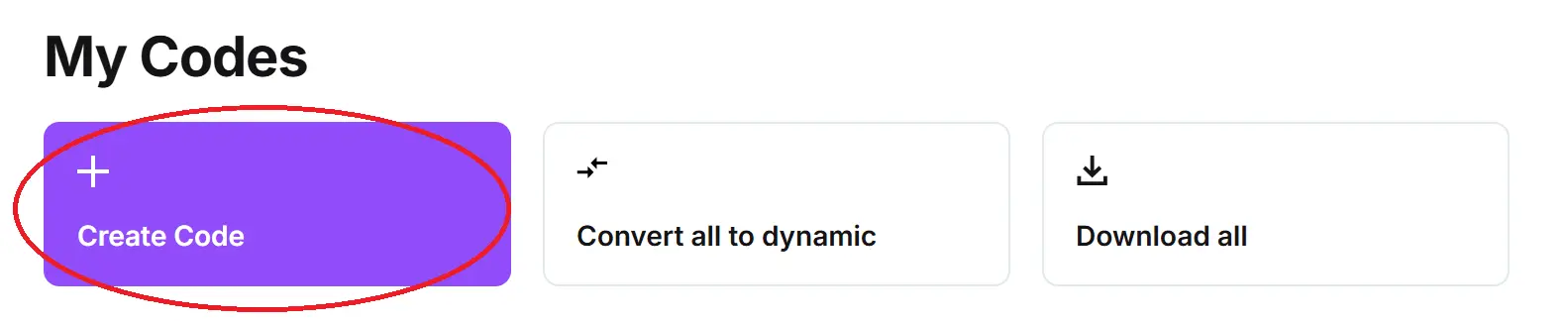
Step 2: In QR Code Developer, click on Create Code.
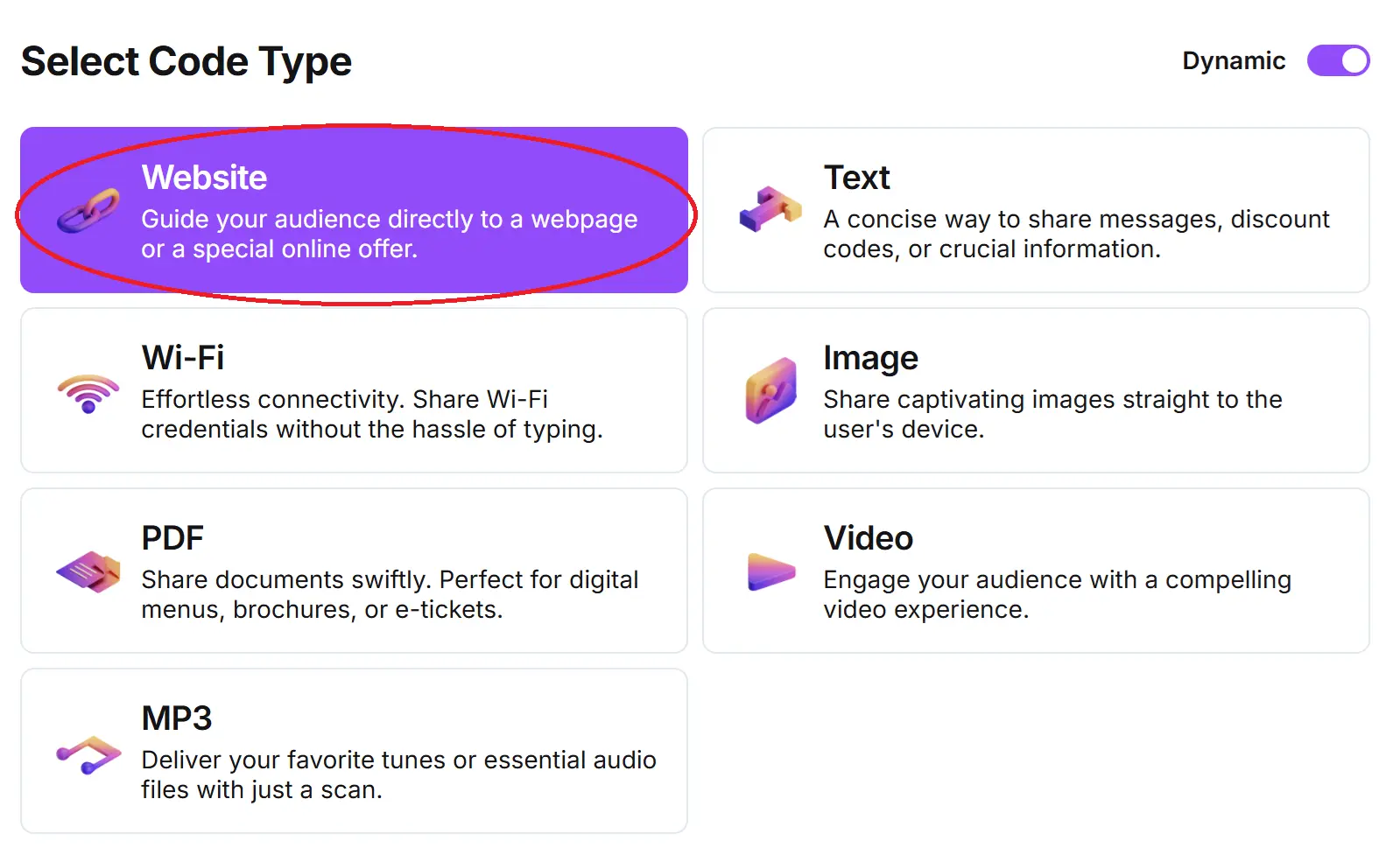
Step 3: Select the Website option.
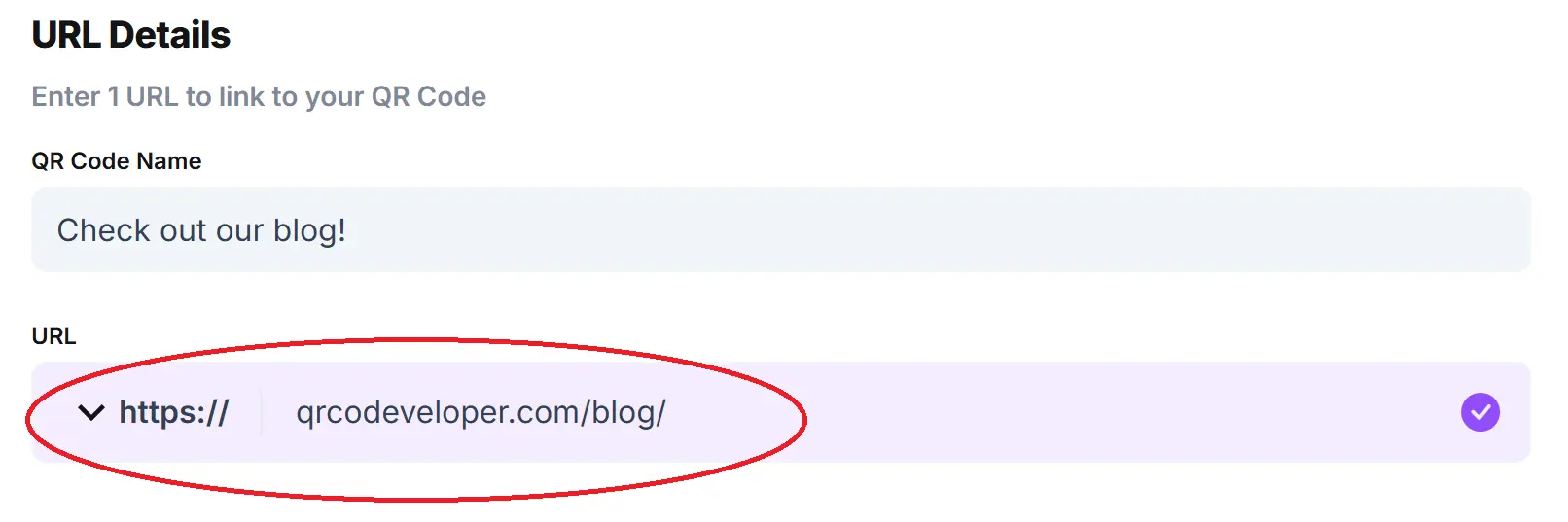
Step 4: Name your code and paste the URL into the bar.
Optional: Click on the pencil icon in the Preview window to further customize the look of your code.

Step 5: Click Generate.

Step 6: Test your code on multiple devices.
FAQ
Q: Can I make my landing page accessible via QR code?
A: Yes. Web addresses are some of the easiest things to share via QR code and can be done through a free service like QR Code Developer.
Q: What devices can scan a QR code?
A: Just about all modern smart phones and tablets, as well as other specified devices, are capable of scanning QR codes and accessing the content within.
Q: Do I need a special app to scan a QR code?
A: While third party QR code scanner apps are available for smart phones, they are not needed to scan codes. Most phones are capable of scanning codes right from the built in camera application.
Q: How important is a landing page to an ad campaign?
A: Landing pages have become very important to ad campaigns in the digital age, and allow for passerbys and casual consumers to become paying customers in an instant.
Q: Can only web addresses be attached to QR codes?
A: No, QR codes can be used to share a variety of data, including pictures, text, and tracking information.
Q: How easy is it to scan a QR code?
A: Scanning QR codes is as simple as opening the camera app on your device, pointing it at the code, and tapping the link when it pops up.
General QR code tips
- Know your audience: If you’re certain that most of your intended audience doesn’t know how to use QR codes or just don’t like them, then don’t use them.
- Keep instructions clear: Provide clear instructions on how to use and scan QR codes as well as where the codes will redirect to.
- Place codes on a flat surface: To make sure that codes are still scannable, only put them on flat surfaces, like walls, tables, posters, or fliers.
- Use high contrast: If using custom colors on a code, make sure that the colors are distinct enough from each other to be read as a QR code.
- Make sure codes are visible: Don’t place codes where patrons are unlikely to see them.
- Only use codes when necessary: If an alternative exists that’s easier for all parties involved, use that.
- Test on multiple devices: Make sure your codes work whether scanned on an Android device, iPhone, tablet, or other device.
Monitoring code usage
With the tools available on QR Code Developer, as well as other code generators, you can monitor the usage of any code you create. This can include how many times a code has been scanned, where it has been scanned, on what device, using what browser, and more. With these tools, you can figure out which codes are reaching the most people and where to focus any advertising efforts.
With QRCodeveloper you can monitor:
- Number of scans
- Number of scans by operating system
- Scans by browser
- Scans by country
- Scans by city
- Scans by language
- Unique scans
Conclusion
If you are using QR codes in your advertising campaign, then having a good landing page is essential. While the advertisement itself will be your first impression, the landing page is where your audience will potentially become a paying customer or part of your community.
QR codes are easy to make and can be done for free with the tools available from QR Code Developer. Get started today and enter the exciting world of QR codes!